Tour of the app
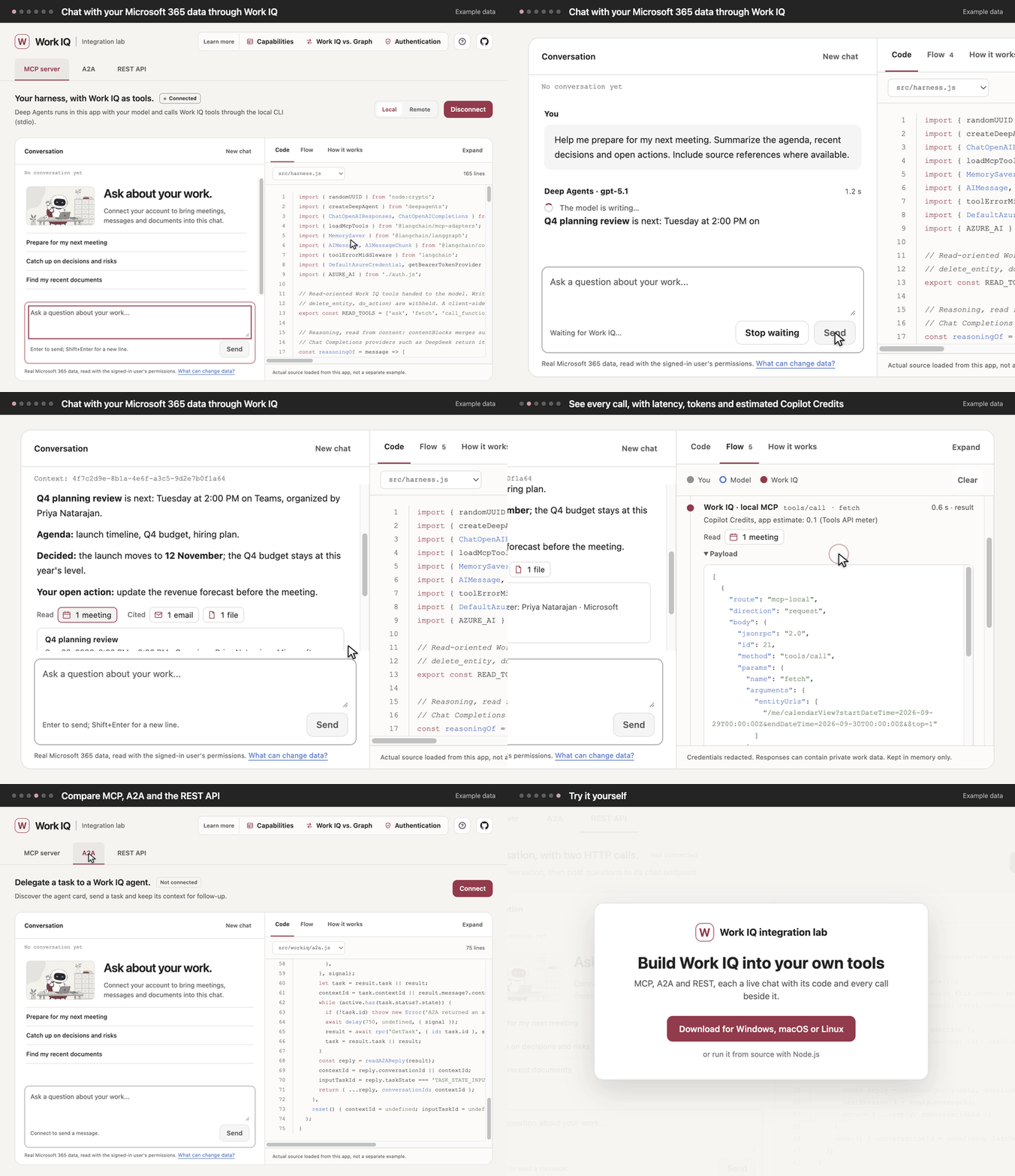
These are the six steps of the app’s How to, which opens on the first start; ? at the top right opens it again.
1. Pick a route
Section titled “1. Pick a route”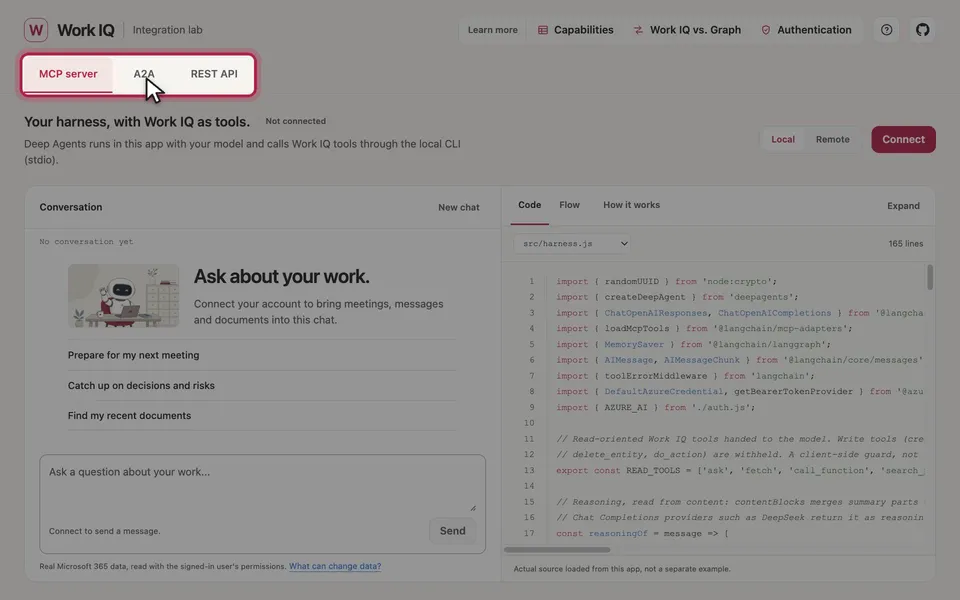
MCP server runs a Deep Agents harness with your own model, locally through the Work IQ CLI or remotely. A2A hands a task to a Work IQ agent. REST API holds a conversation in two HTTP calls. See Compare the routes.
2. Check what it needs
Section titled “2. Check what it needs”Each tab’s Connect opens with what its route needs: sign-in, admin consent and model. Every route also needs Work IQ enabled in your tenant and a usage-based billing plan with you assigned. See What you need.
3. Connect
Section titled “3. Connect”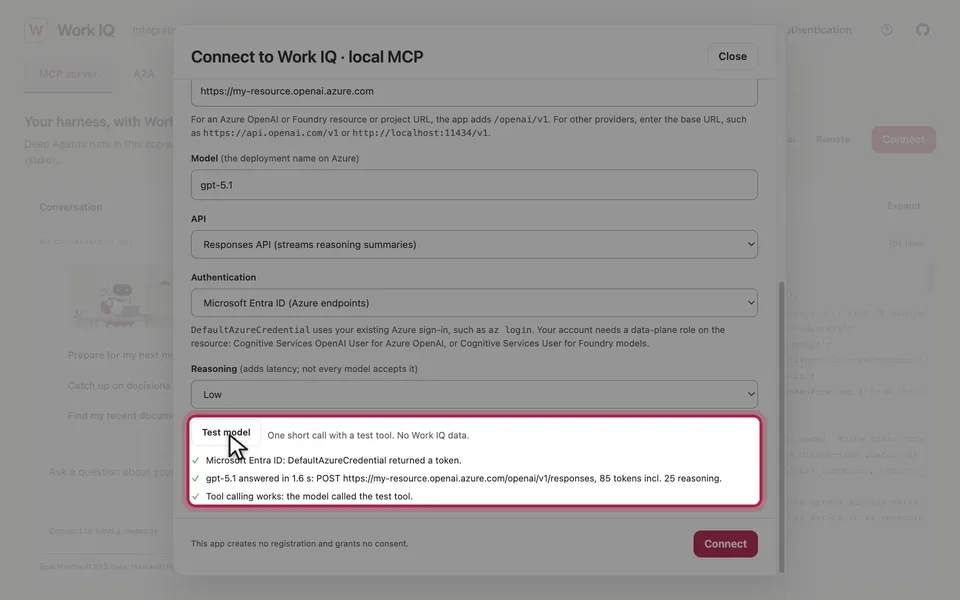
Connect then asks only for that route’s settings. For MCP, Test model checks your model before you connect. See Connect settings.
4. Chat and watch
Section titled “4. Chat and watch”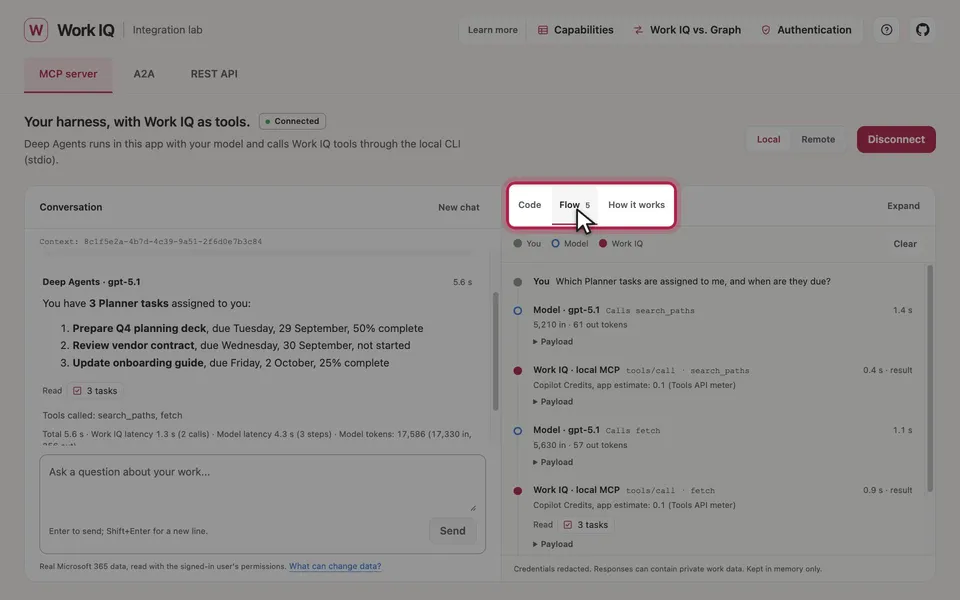
Code shows the source that runs. Flow shows every step between you, the model and Work IQ, with latency, tokens, a Copilot Credits estimate and the raw payloads.
5. Follow the data
Section titled “5. Follow the data”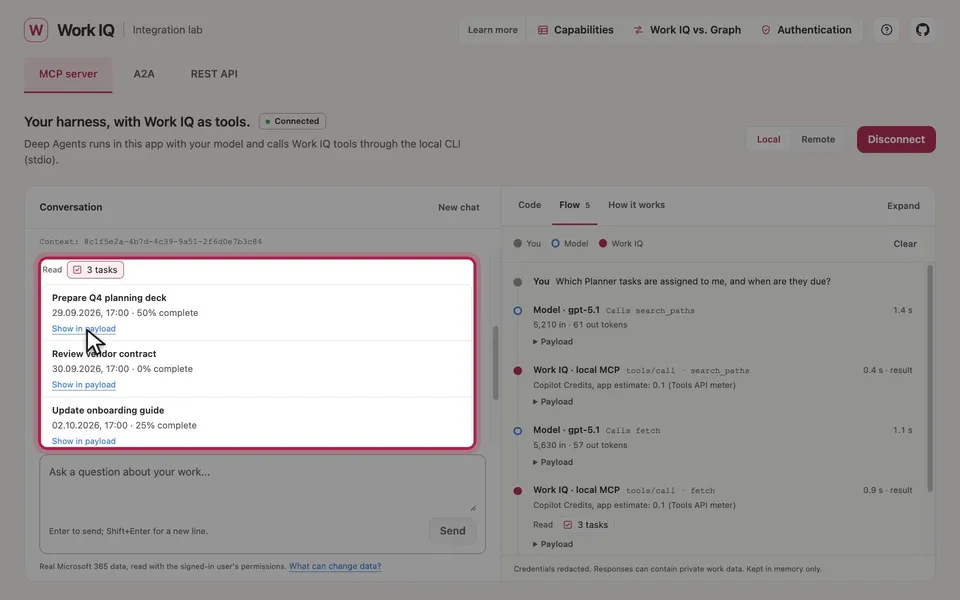
Chips under an answer list the Microsoft 365 items it read or cited; Show in payload marks the exact item in the response.
6. Learn more
Section titled “6. Learn more”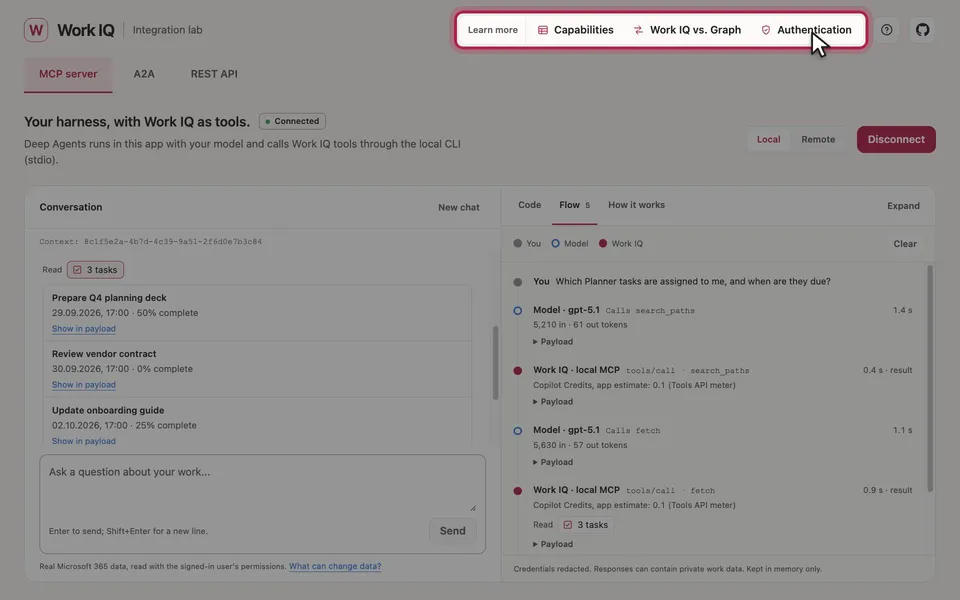
Capabilities, Work IQ vs. Graph and Authentication explain the details, and each exports to PDF. They’re also on this site, under Concepts.
The illustrations are AI-generated (MAI-Image-2.6). The screenshots and the demo show example data.